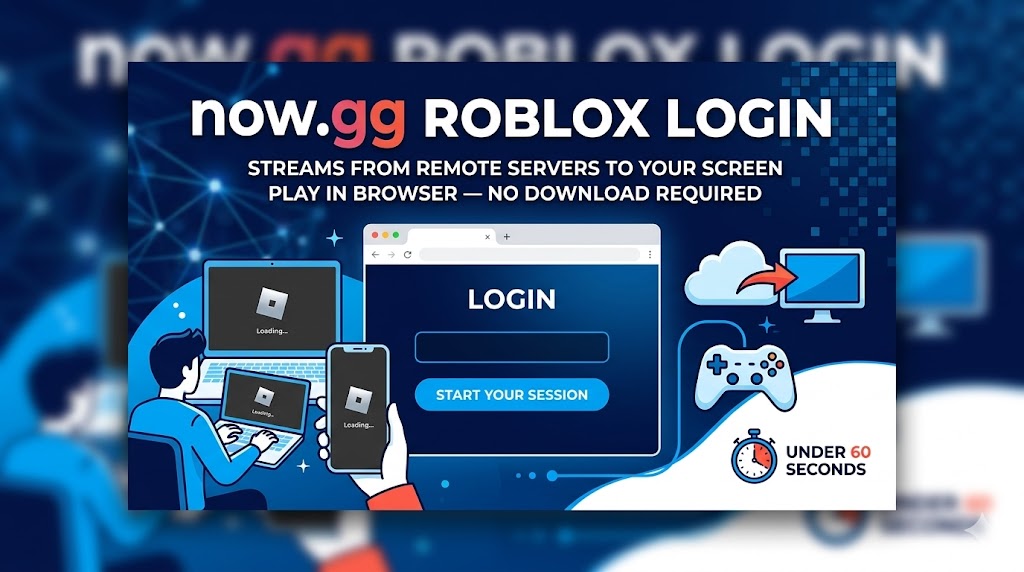
Now.gg Roblox Login
Device limitations and blocked installs stop many players from accessing Roblox. Now.gg solves this by running Roblox entirely through a browser — no app, no download, no storage used. The now.gg Roblox login process takes under a minute and works on any device that can open Chrome, Safari, or Edge.
What Is Now.gg and How Does the Roblox Browser Login Work?
Now.gg is a cloud gaming platform that streams mobile and browser games from remote servers directly to your screen. Instead of running Roblox on your hardware, the processing happens on now.gg’s servers. Your device only displays the output.
Now.gg recommends a minimum 5 Mbps connection with under 40ms ping for smooth gameplay. The platform is ad-supported and free to use, with no payment required to access Roblox.
How to Complete the Now.gg Roblox Login Step by Step
- Open Chrome, Edge, or Safari and go to now.gg.
- Use the search bar to find Roblox in the game catalog.
- Click the “Play in Browser” button on the Roblox page.
- Wait for the brief loading screen — the game streams to your tab.
- Enter your Roblox username and password on the login screen.
- Select any experience and start playing.
Creating a now.gg account alongside your Roblox login saves you time. It skips the repeated CAPTCHA checks that can slow down sign-in, and it stores your session so re-entry is faster on return visits.
Now.gg vs Local Install: Why Players Choose the Browser
Cloud gaming through now.gg removes most of the friction tied to traditional game installs. The comparison below shows where the two methods differ across the metrics that matter most to players on shared, low-spec, or restricted devices.
Now.gg vs Local Install — Key Metrics
| Factor | Now.gg (Browser) | Local Install |
|---|---|---|
| Storage required | 0 GB | ~1.5 GB |
| Setup time | Under 60 seconds | 10–15 minutes |
| Manual updates | None | Required periodically |
| Device compatibility | Any browser-capable device | Android, PC, iOS |
| Works on school/office networks | Often yes | Blocked in many cases |
Roblox content creators who record gameplay for short-form platforms sometimes pair clips with a TikTok NPC voice generator to add commentary — cloud gaming makes screen recording simpler since everything runs in a browser tab.
Should You Create a Now.gg Account for Roblox Login?
A now.gg account is separate from your Roblox account. It adds social features, trophy tracking, and streaming options. More practically, it removes the robot-checking puzzle that appears on every anonymous session start — a small but genuine time-saver for regular players.
Your Roblox game data stays tied to your Roblox account regardless of which device or platform you use to access it. Switching between now.gg and a local install does not affect progress.
Top Roblox Experiences to Play After Logging In via Now.gg
Any Roblox title accessible through the standard platform loads without issue on now.gg. These five consistently rank among the highest-visited experiences:
| Experience | Genre |
|---|---|
| Brookhaven RP | Life simulation, open world |
| Adopt Me! | Pet collection, trading |
| Tower of Hell | Parkour, obstacle course |
| Blox Fruits | Anime-style combat, RPG |
| Murder Mystery 2 | Social deduction, fast rounds |
Creators who build short gaming clips around these titles often use character voice overs to narrate gameplay moments before publishing to TikTok or YouTube Shorts.
Fixing Common Now.gg Roblox Login Problems
| Problem | Fix |
|---|---|
| Choppy or lagging gameplay | Run a speed test — connection should be above 5 Mbps. Close unused tabs and disable background downloads. |
| Roblox page won’t load | Clear browser cache, disable ad-blocking extensions, and reload. Ad blockers interfere with now.gg’s ad-supported model. |
| Login credentials rejected | Verify username spelling and check Caps Lock. Reset your Roblox password if the issue persists. |
| Server unavailable message | Now.gg runs maintenance windows. Wait an hour and retry. Check now.gg’s status page for outage notices. |
| Controls not responding | Now.gg supports keyboards, mice, gamepads, and touch. Check that browser permissions for input are enabled. |
Is Now.gg Safe for Your Roblox Login?
Now.gg does not access or store your Roblox login credentials. The login screen you see inside the browser tab belongs to Roblox’s own authentication system — now.gg only streams the visual output.
The platform applies encryption and maintains privacy policies aligned with standard cloud service practices. Use a strong, unique Roblox password and avoid third-party tools claiming to enhance now.gg access, as those carry account risk.
FAQs
Is the now.gg Roblox login free to use?
Yes. Now.gg is fully free and ad-supported. No subscription or payment is required to access Roblox through the platform.
Does now.gg Roblox work on iPhone and Android?
Yes. Mobile browsers on both iOS and Android support now.gg. No app download is needed on either operating system.
Is now.gg Roblox available on Chromebook?
Yes. Chromebooks access now.gg through Chrome without requiring any app installation or Android compatibility settings.
Does game progress save when playing Roblox on now.gg?
Yes. Progress saves to your Roblox account, not the device. Switching platforms or devices does not affect your saved data.
What internet speed does now.gg Roblox require?
Now.gg recommends at least 5 Mbps bandwidth and a ping below 40ms for stable, smooth Roblox gameplay through the browser.