Kahoot.it Join Guide
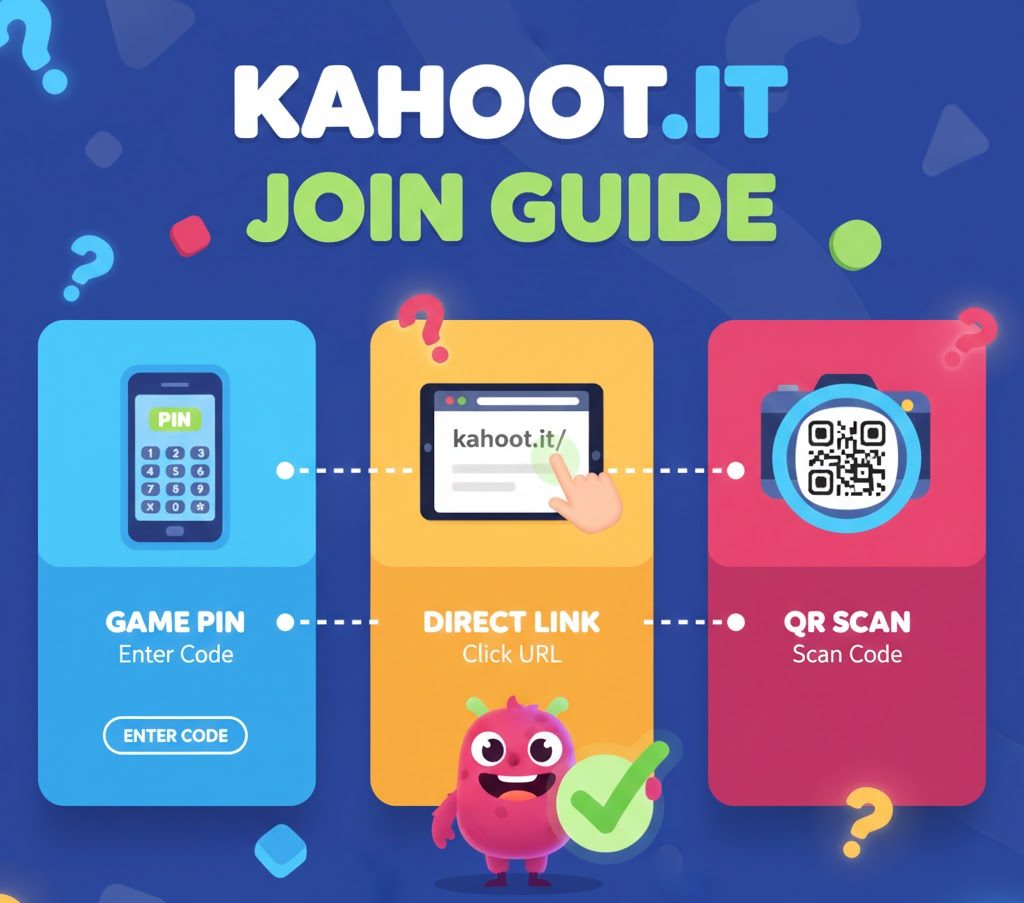
Kahoot.it join methods allow participants to enter quiz sessions through three approaches. Players can access games using PIN codes, direct URLs, or QR scans without creating accounts. Each method works across all devices with internet connections.
How to Join a Kahoot Using a Game PIN
The PIN entry method remains the most common way to access Kahoot sessions. Players receive a unique code from their host to begin participation.
Open kahoot.it in any browser or launch the mobile app on your device. Type the game PIN displayed by your session leader in the entry field.
Enter a player identifier if your organizer enabled this requirement. Some hosts use this feature to track specific participants during sessions.
Choose your screen name when prompted. The random name generator creates computer-generated options if activated by the host. Otherwise, type any preferred nickname to represent yourself in the game.
The system loads your waiting screen once all information is submitted. Your name appears in the host’s lobby alongside other participants. Games begin when the organizer starts the session.
Joining Kahoot Games Through Direct Links
Session organizers can share clickable URLs instead of numeric codes. This Kahoot.it join alternative eliminates manual code entry.
Live Session Links
Hosts copy the URL from their waiting screen during real-time games. Participants click the address to join immediately.
The link opens the session in your browser or application automatically. This method works identically whether using mobile devices or computers.
Self-Paced Assignment URLs
Organizers share links from their assignment dashboard for independent challenges. Players complete quizzes at different times rather than simultaneously.
These addresses remain active until the host closes the assignment. Participants can start and finish work according to their schedules.
For educators looking to add engaging voice elements to their content, text-to-speech options can enhance quiz experiences. Many instructors also explore character voices for themed quizzes to increase student engagement.
| Join Method | Setup Time | Best For |
|---|---|---|
| PIN Code Entry | 5-10 seconds | Classroom settings |
| Direct Link | 2-3 seconds | Remote participants |
| QR Code Scan | 3-5 seconds | In-person events |
Accessing Games by Scanning QR Codes
QR scanning provides another fast Kahoot.it join option for participants. This method works best in physical settings where displays are visible.
Launch your application and select the scan feature from the join menu. Point your device camera at the square pattern displayed by your organizer.
The game loads instantly after successful scanning. Your browser or app opens the session without requiring manual code entry.
Use your device’s native camera app if the Kahoot app isn’t installed. The camera automatically detects QR codes and prompts you to open the link.
Request a larger display from your organizer if scanning fails. Distance and lighting conditions affect QR code recognition accuracy.
Teachers creating interactive content might combine Kahoot sessions with automated narration tools for accessibility. Some educators use calming audio backgrounds during timed quizzes to reduce test anxiety.
Device Compatibility and Requirements
Kahoot.it join features work on any internet-connected device. Phones, tablets, laptops, and desktop computers all support the platform.
Browser-based access requires no downloads or installations. Simply navigate to kahoot.it and enter your game information to begin.
Mobile applications offer additional features like QR scanning and offline preparation. Download the app from your device’s app store for the complete experience.
Connection stability affects gameplay quality. Maintain consistent internet access throughout sessions to avoid disconnections.
Understanding Session Types and Access
Live games require real-time participation from all players. Everyone joins simultaneously and answers questions together under time limits.
Assigned challenges allow independent completion at any time. Participants work through quizzes on their own schedules within the deadline set by hosts.
Game codes expire when sessions end or assignments close. Participants cannot rejoin using old PINs after organizers finish games.
Leaving a session means starting fresh upon return. Previous scores and chosen names cannot be recovered once you exit.
Content creators often pair interactive quizzes with musical elements for entertainment value. Presenters might also incorporate themed character voices to match quiz topics and maintain audience interest.
Account Requirements and Privacy
No registration is needed for basic Kahoot.it join participation. Players enter sessions using only game codes and nicknames.
Organizers can require player identifiers for tracking purposes. This setting adds an extra verification step before joining games.
Anonymous participation protects student privacy in educational settings. The random name generator creates identifiers without revealing personal information.
Account creation becomes necessary only for hosting games or creating content. Players accessing sessions as participants never need registration.
Troubleshooting Common Join Issues
Expired codes cause the most frequent access problems. Verify with your organizer that the session remains active before attempting entry.
Incorrect PIN entry prevents successful joining. Double-check all digits match the displayed code exactly.
Network connectivity issues disrupt game access. Test your internet connection and refresh the page if loading fails.
Browser compatibility affects platform performance. Update to the latest version or try different browsers if problems persist.
Some users enhance their quiz presentations with streaming-optimized audio for live broadcasts. Others explore alternative voice generation tools to diversify their educational content.
FAQs
Do I need a Kahoot account to join games?
No account is required to participate in games. Players only need a game PIN and nickname unless the host enables player identifiers for tracking.
Can I rejoin with my previous score?
No, scores reset when you leave a session. You must choose a new nickname and start over from zero points upon rejoining.
What devices support Kahoot.it join?
All devices with internet browsers work, including phones, tablets, laptops, and desktops. Mobile apps are available for iOS and Android devices.
Why isn’t my game PIN working?
Codes expire when sessions end or assignments close. Contact your organizer to verify the game remains active and confirm the correct PIN.
How do live games differ from assignments?
Live games require simultaneous participation with real-time answers. Assignments allow independent completion at any time within the deadline set by hosts.