How to Go Live on TikTok?
Going live on TikTok lets you connect with your followers in real time. This broadcasting feature turns your phone into a live studio where viewers can watch, comment, and send virtual gifts as you stream.
Whether you want to share tutorials, host Q&A sessions, or show behind-the-scenes content, live streaming builds stronger community connections with your audience. TikTok made this feature available to creators who meet specific requirements.
You can earn money through virtual gifts and even drive product sales during your broadcasts.
Understanding how to go live on TikTok opens new opportunities for engagement and growth on the platform.
How to Go Live on TikTok?
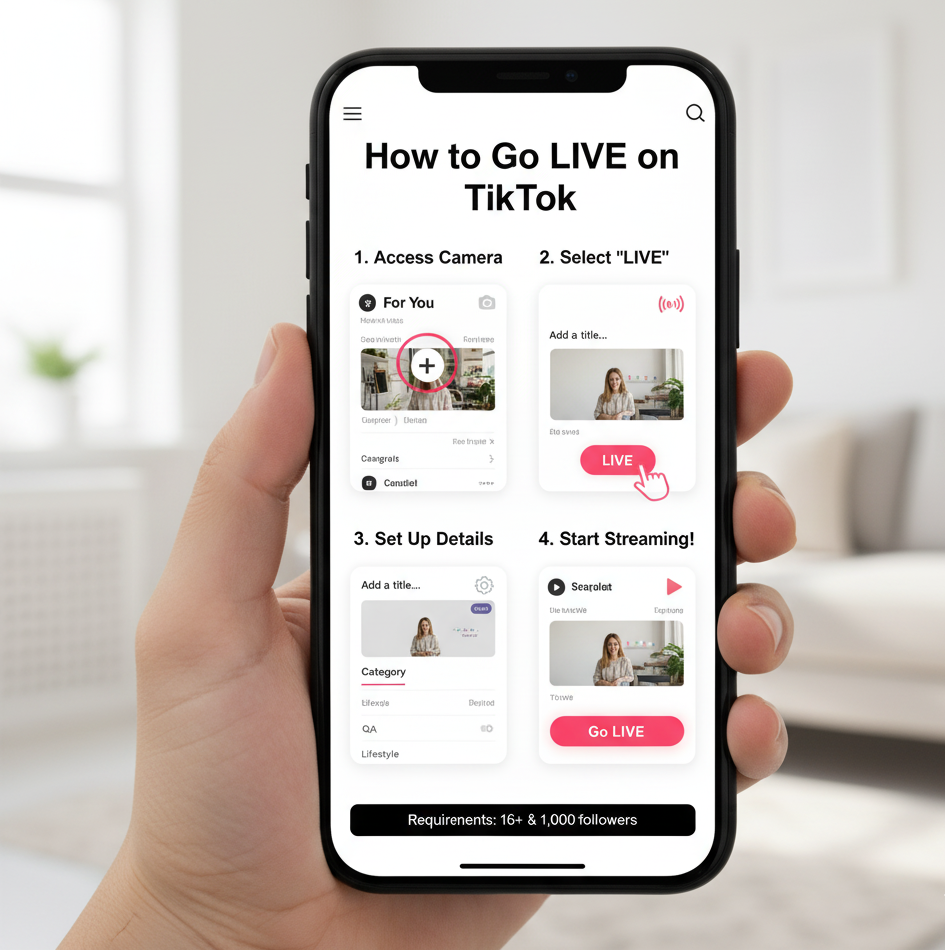
Before you start, check that you meet the basic requirements. You need to be at least 16 years old and have 1,000 followers.
Once you qualify, starting a broadcast takes just a few taps.
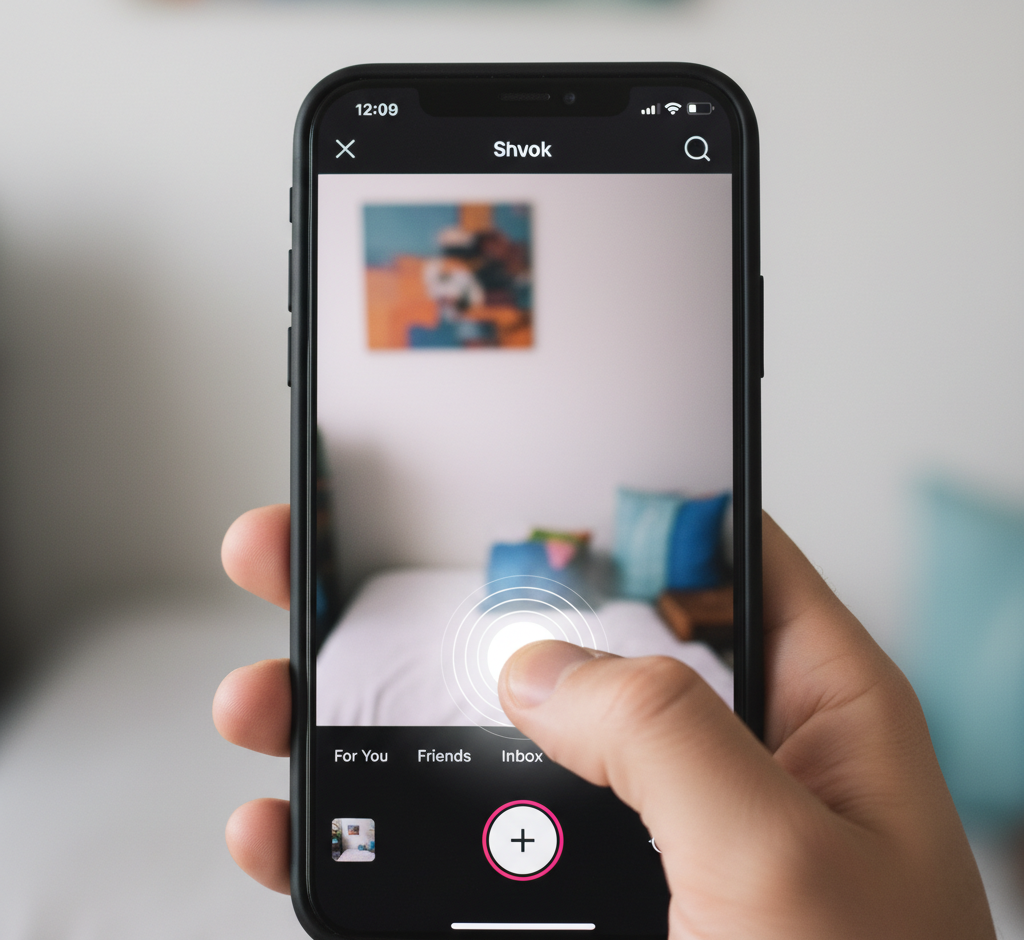
Open TikTok and Access the Camera
Launch your TikTok app. Tap the plus icon at the bottom center of your screen. This opens the camera interface where you create all your content.
Select the Live Option
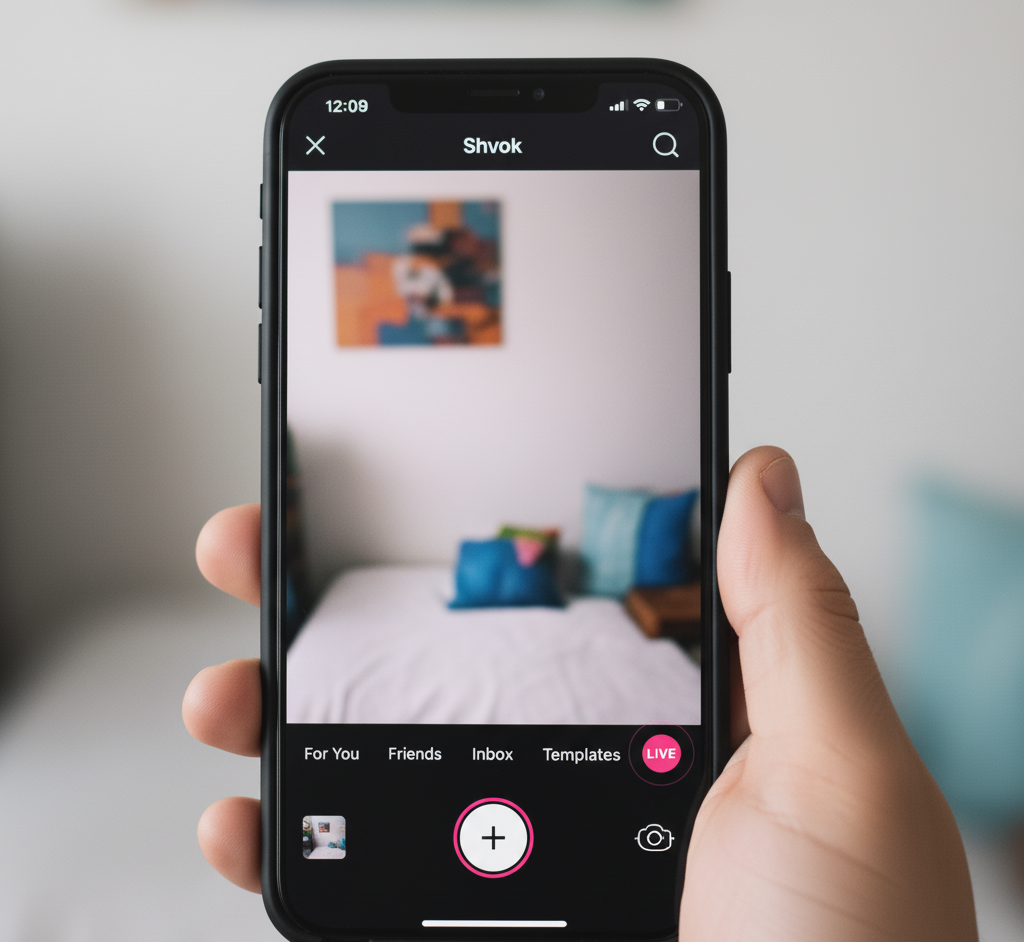
Look at the bottom menu options. Swipe until you find “LIVE” mode. Tap it to switch from regular recording to live streaming mode.
Set Up Your Broadcast
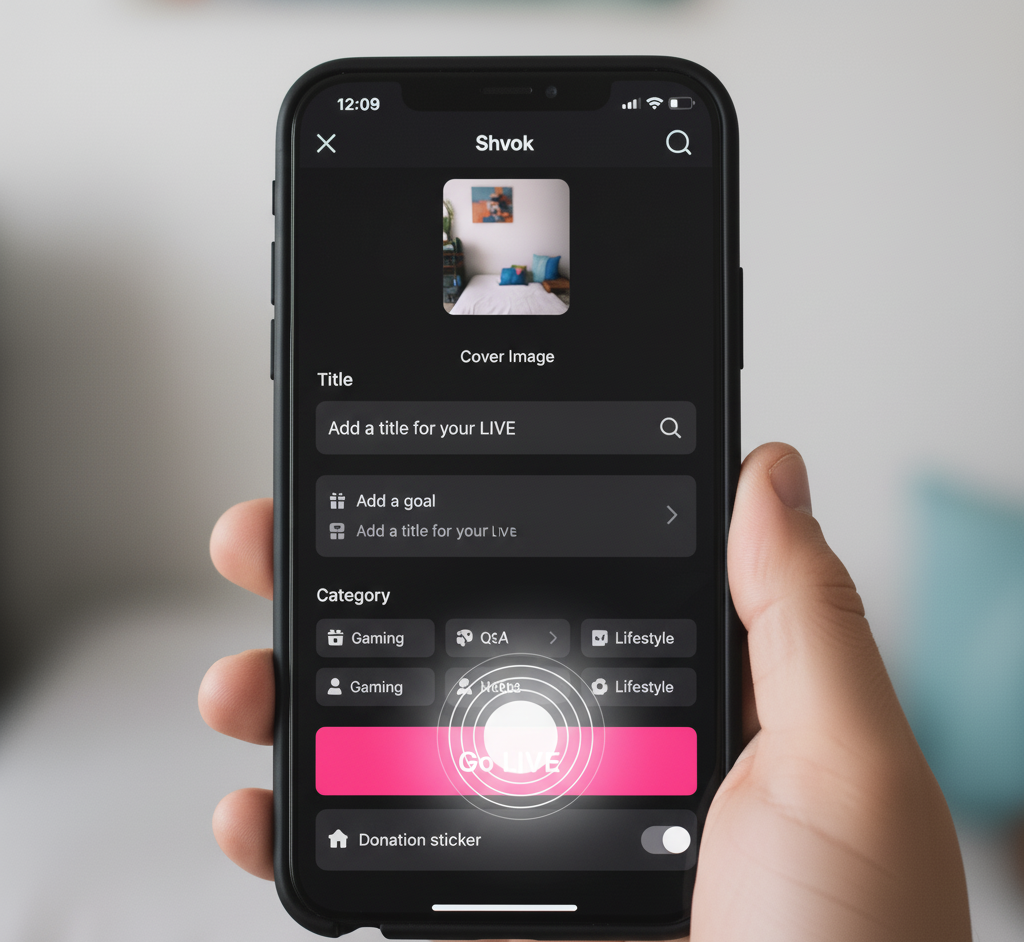
Choose a cover image that represents your stream. Create a title that tells viewers what to expect. Pick a category if you want to help people find your broadcast. Set your stream goal if you have one in mind.
Start Broadcasting
Press the “Go LIVE” button. Your followers get notifications that you’ve started streaming. You can now interact with viewers in real time.
While live, you can switch between front and back cameras. Apply filters and effects to enhance your stream. Control who can comment on your broadcast. Assign up to 20 moderators to help manage your audience.
To end your stream, tap the X in the top-left corner. Review your stream statistics to see how many viewers joined and what gifts you received.
Optimize Your Live Stream
Schedule your broadcasts during peak hours when your followers are most active. Check your analytics to find the best times.
Keep your streams between 30 minutes and an hour. This duration maintains viewer attention without causing fatigue.
Post regular content before going live. Active profiles attract more live viewers. A special indicator appears on your recent posts when you’re streaming.
Use good lighting to improve video quality. Natural daylight works best. Ring lights help when streaming indoors.
Find a quiet location with minimal background noise. Clear audio matters as much as video quality.
Test your internet connection before streaming. Weak signals cause interruptions that drive viewers away. Stable WiFi gives you smooth broadcasts.
Keep your camera steady. Mount your phone on a tripod or stable surface. Shaky footage makes viewers uncomfortable.
Prepare talking points before starting. Having a loose structure keeps your stream focused and engaging.
Interact constantly with your audience. Read and respond to comments. Answer questions as they come in. Acknowledge viewers by name when possible.
Assign moderators to manage your chat. They filter inappropriate messages and remove disruptive viewers when needed. This keeps your stream positive and welcoming.
Many creators use voice overs in their TikTok content to enhance regular videos before going live. The practice helps you develop a consistent content style that translates well to live streaming.
FAQs
Can I earn money from TikTok live streams?
Yes, viewers send virtual gifts during your broadcasts. These gifts convert to real money. You can also promote and sell products during streams. Many creators earn through these methods.
What happens if I don’t have 1,000 followers?
You cannot access the live feature until you reach 1,000 followers. Focus on creating regular content and engaging with your audience to grow your follower count faster.
How long can I stream on TikTok?
TikTok allows unlimited streaming duration. However, streams between 30 minutes and one hour work best. This timeframe keeps viewers engaged without causing fatigue or losing their attention.
Do my followers get notified when I go live?
Yes, TikTok automatically sends notifications to your followers when you start broadcasting. A special indicator also appears on your recent posts to attract viewers browsing their feed.
Can I save my live stream after it ends?
Yes, you can download your completed live stream to your device. This lets you repurpose content, review your performance, or share highlights on other platforms for maximum