
How To Link Instagram To TikTok
Want to grow your audience across platforms? Learning how to link Instagram to TikTok saves time and expands your reach. This connection lets followers find you easily on both networks.
You can link these platforms in two ways. First, add your Instagram handle to your TikTok bio so visitors can click through.
Second, enable automatic video sharing to post TikTok content on Instagram simultaneously. Both methods help creators build a stronger online presence and increase engagement.
The setup takes just a few minutes. You only need active accounts on both platforms. Once connected, managing your social media becomes simpler and more efficient.
How To Link Instagram To TikTok?
Open TikTok and Go to Your Profile
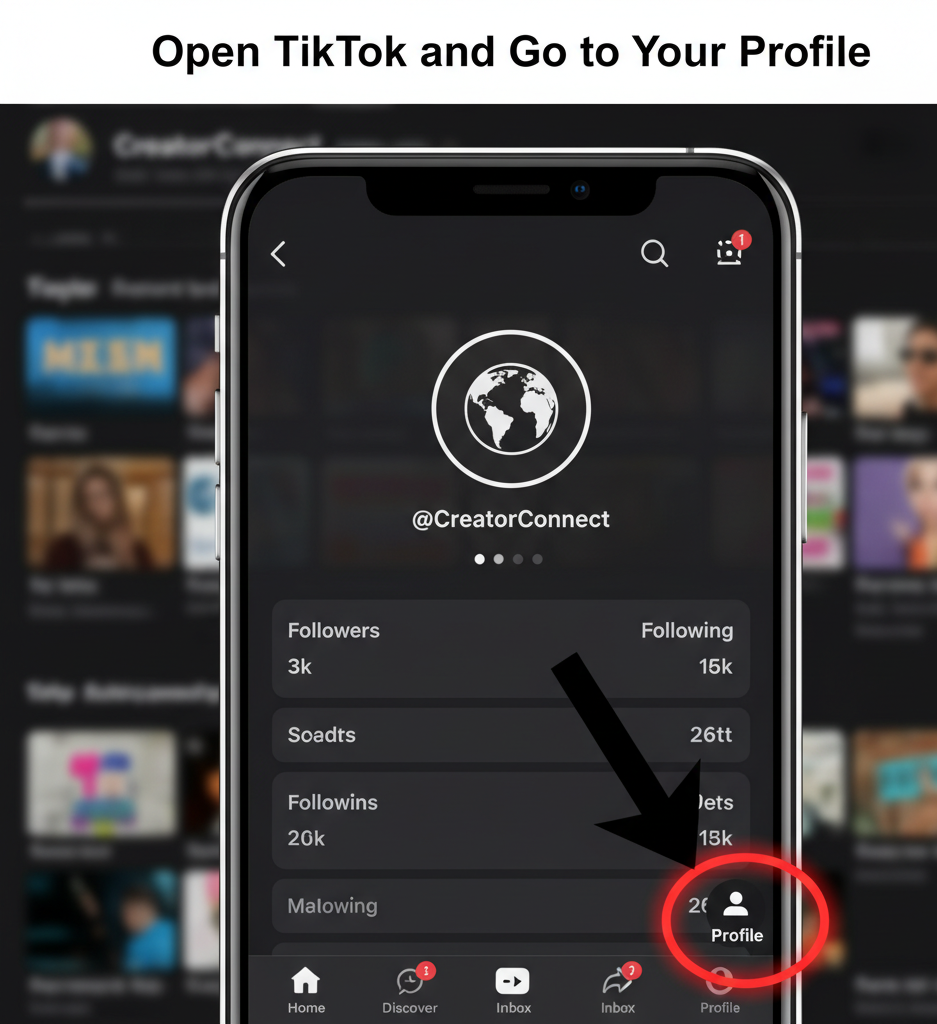
Launch the TikTok app on your phone. Tap the person icon in the bottom right corner to access your profile page.
Access Profile Settings
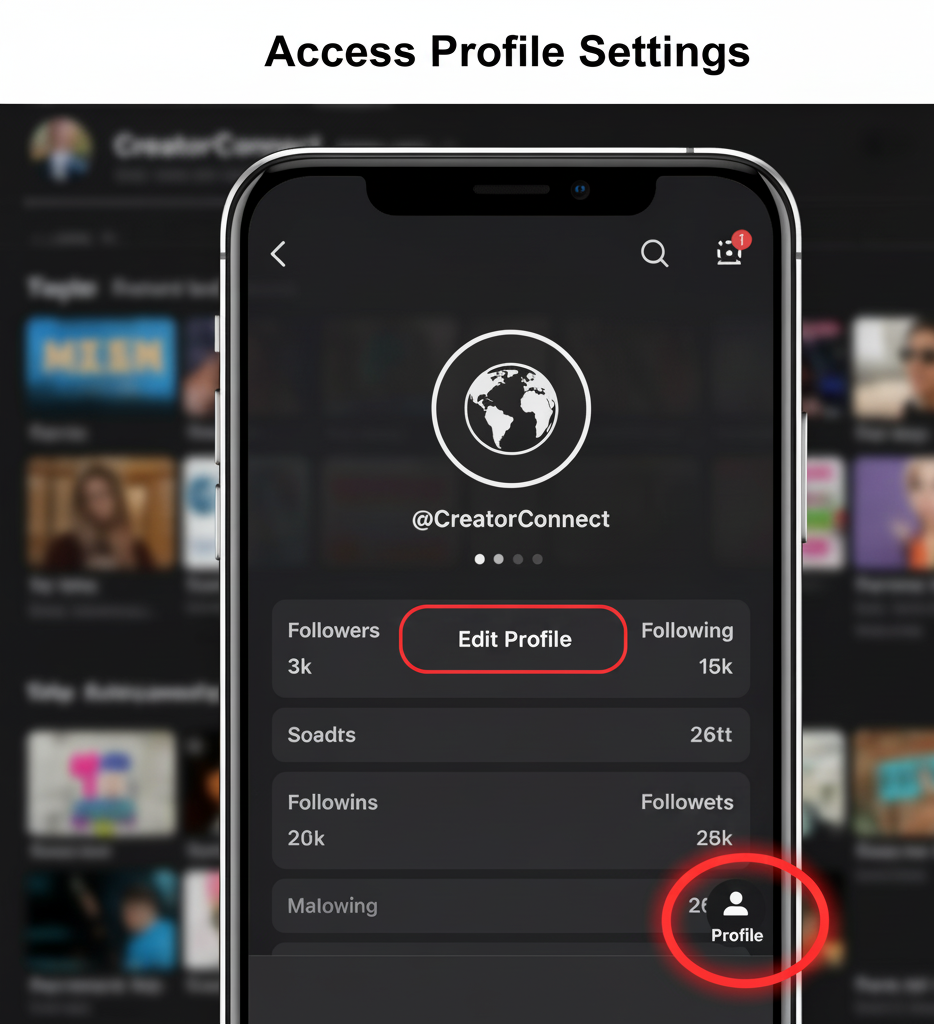
Find the “Edit Profile” button near the center of your screen. Tap it to open your profile editing options.
Locate Social Media Connections
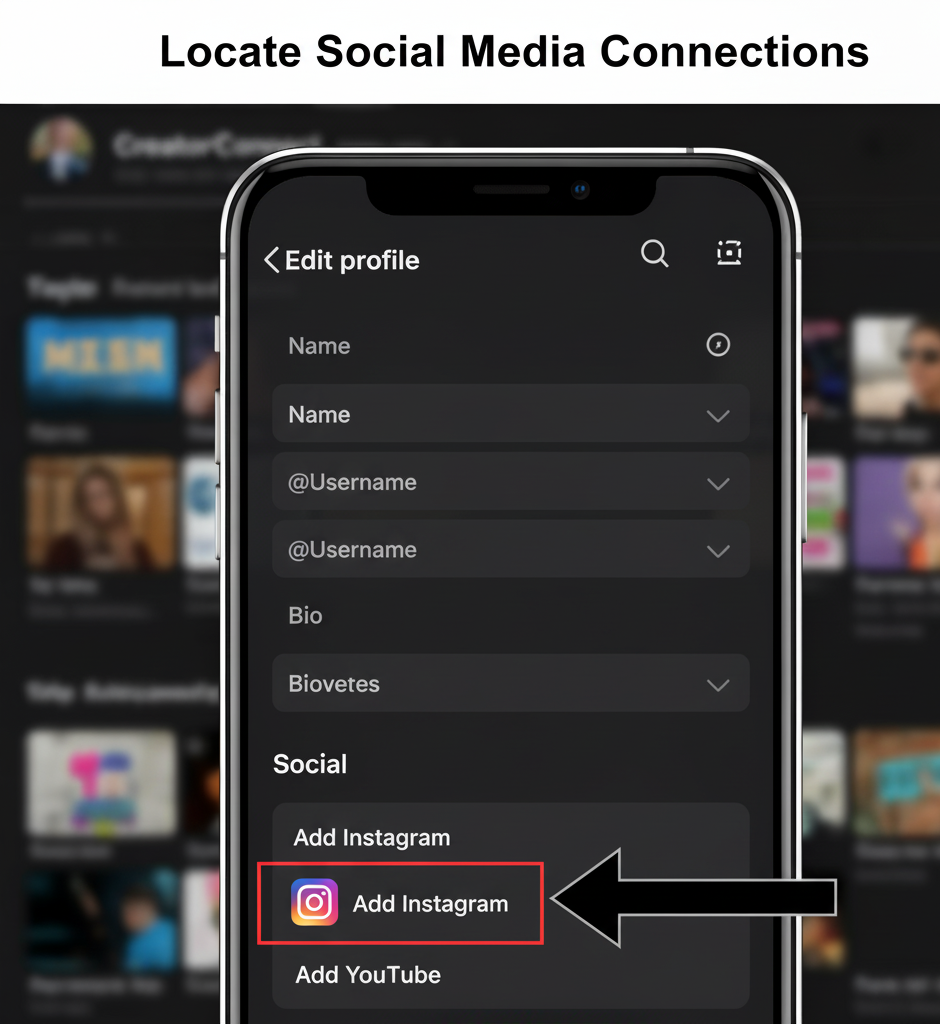
Scroll down through the settings menu. Look for the “Add Instagram” or “Social” section where platform connections are managed.
Connect Your Instagram Account
Tap the Instagram option when you see it. You’ll be redirected to Instagram’s login page automatically.
Enter Your Instagram Login Details
Type in your Instagram username or email and password. You can also log in through Facebook if your accounts are linked. Tap “Authorize” to grant TikTok access to your profile information.
Your Instagram handle now appears on your TikTok profile. Followers can tap it to visit your Instagram page directly.
Enable Cross-Posting (Optional Method)
If you want to share TikTok videos on Instagram automatically, there’s another approach. When creating a new TikTok video, look for sharing options before posting.
Tap the plus icon to record or upload your video. Edit it as usual, then proceed to the sharing screen.
Find the Instagram icon under “Also post to” near the bottom of the screen. Toggle it on to activate automatic sharing.
Choose whether to post to your Instagram Feed or Story. The video will upload to both platforms when you hit “Post.”
You can add your Instagram voice over using text-to-speech tools to make your content more engaging. Many creators use TikTok voice generators to add narration before cross-posting.
Remember that automatic sharing only works from TikTok to Instagram, not the reverse. You need to manually upload Instagram content to TikTok if you want it on both platforms.
FAQs
Can I link multiple Instagram accounts to TikTok?
No, TikTok only allows one Instagram account connection per profile. You need to disconnect your current account before linking a different one.
Will my TikTok videos automatically post to Instagram?
Not unless you enable the Instagram sharing option for each video. You must toggle the Instagram icon on the posting screen every time.
How do I remove my Instagram link from TikTok?
Go to your TikTok profile, tap “Edit Profile,” scroll to your Instagram username, and select “Remove.” The link disappears immediately from your bio.
Can I add my Instagram link to TikTok bio manually?
Yes, paste your Instagram profile URL in the “Website” field under profile settings. This creates a clickable link visitors can tap to visit Instagram.
Does linking accounts share my private information?
TikTok only accesses your public Instagram username and profile information. Your private messages, followers list, and personal data remain protected and inaccessible.