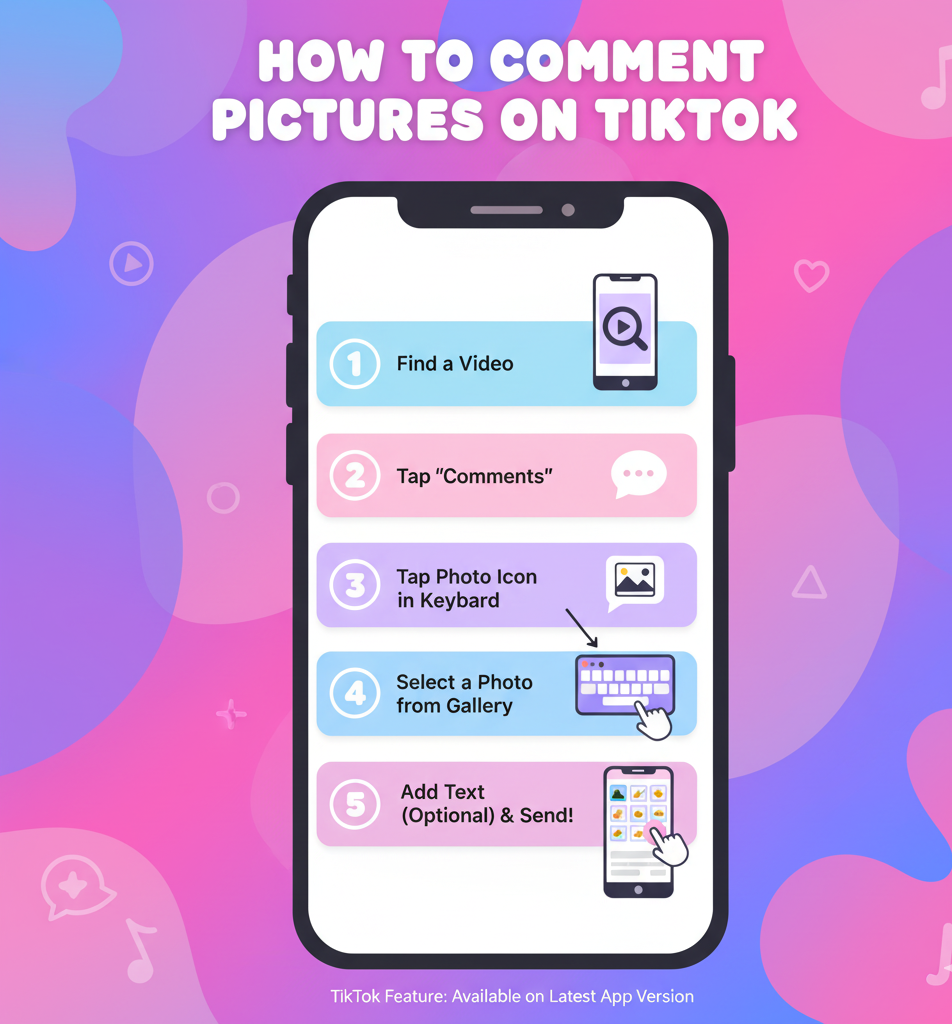
How to Comment Pictures on TikTok
TikTok’s picture commenting feature lets you share images in comment sections instead of text-only replies. This capability remains limited to specific regions and isn’t available to most users worldwide.
However, you can still post images as replies to existing comments. This workaround creates a photo response that appears beneath the original comment.
Understanding how to comment pictures on TikTok helps you engage with content in new ways. The process differs from standard commenting, but anyone can use the photo reply method regardless of location.
Keep in mind that photo replies become posts on your profile. Each image you share as a comment also appears in your content feed alongside regular videos.
How To Comment Pictures on TikTok?
The direct picture commenting feature only works for users in certain regions. Most accounts don’t have access to this function.
You can check your access by opening any video and tapping the comment field. A camera icon beside the text area means you have the feature. No icon means it’s not enabled for your account.
If you don’t have direct access, use the photo reply method instead. This lets you share images by responding to existing comments.
Find a Comment to Reply To
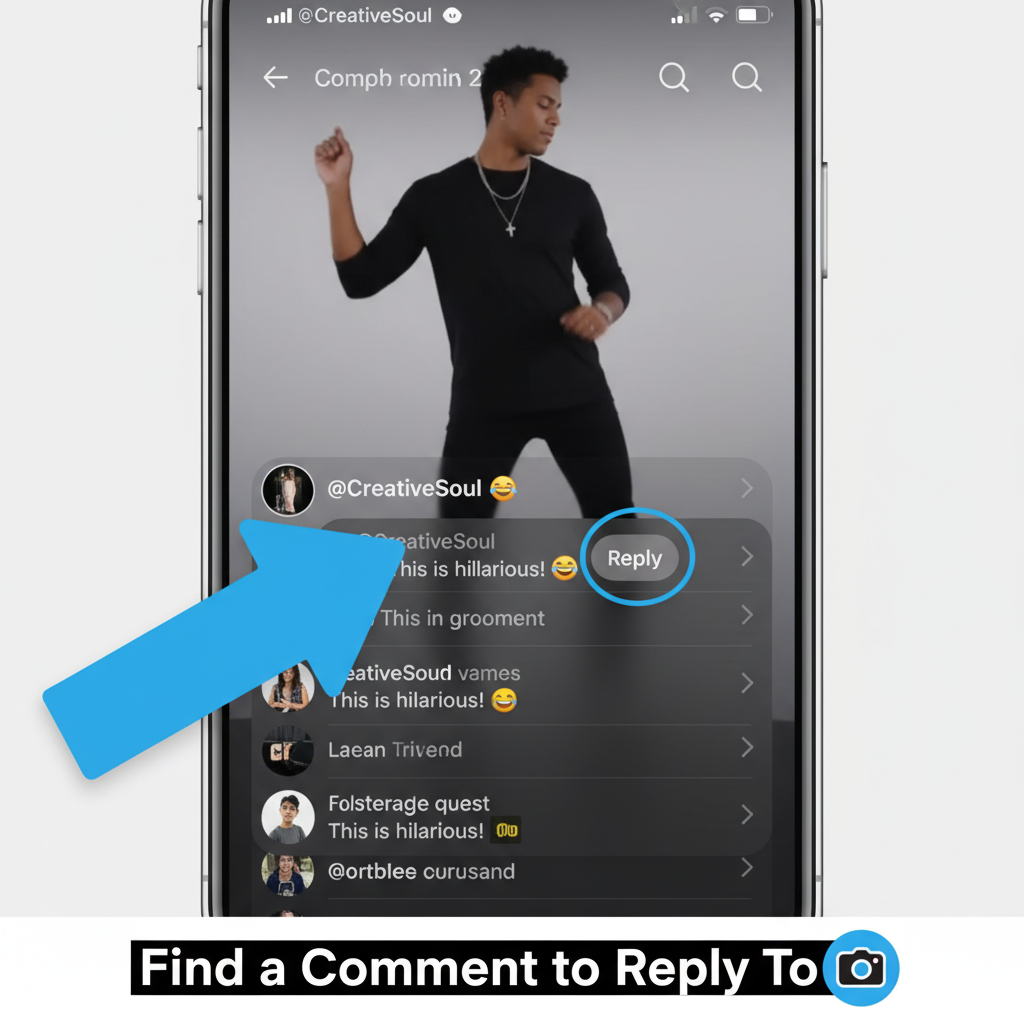
Open any TikTok video with existing comments. Scroll through the comment section and tap on any comment you want to respond to.
A reply field appears below the selected comment. This activates the photo option that isn’t available for direct comments.
Tap the Camera Icon
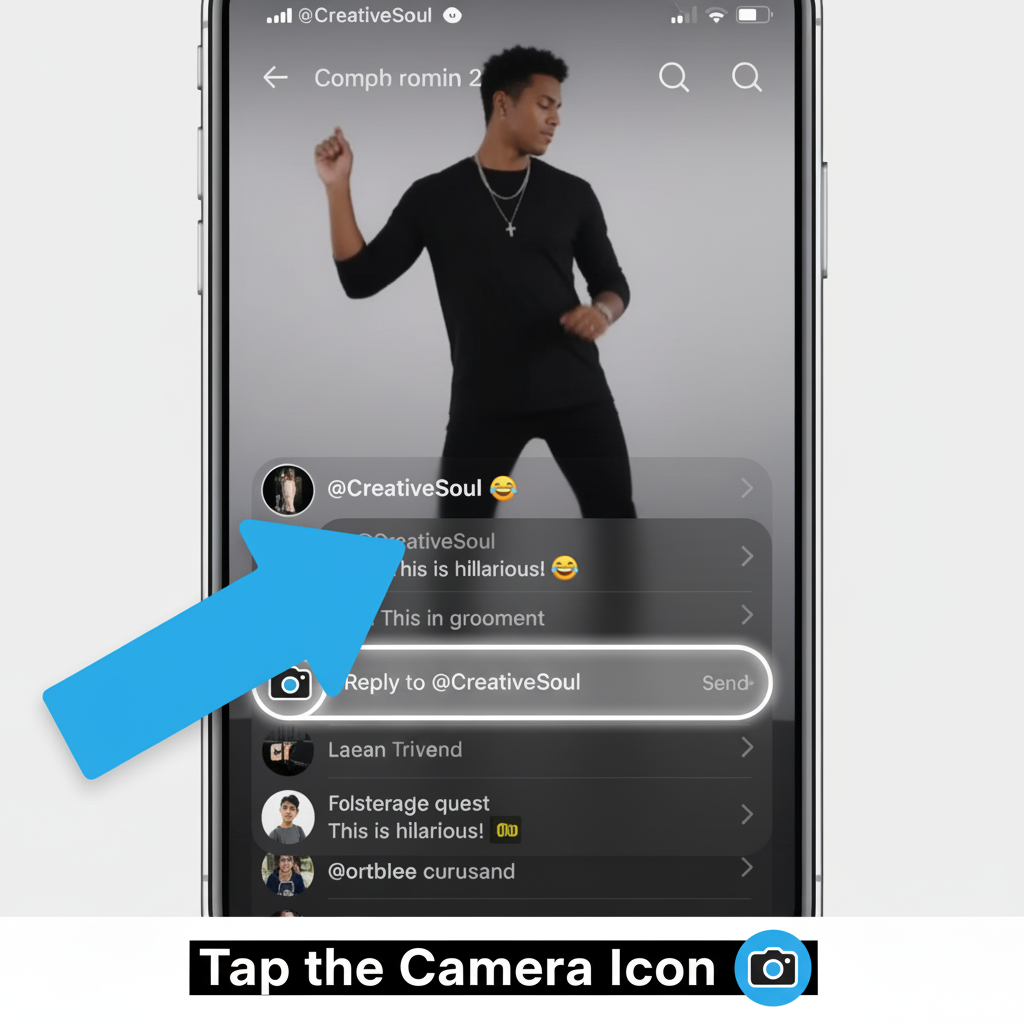
Look for the camera symbol on the left side of your reply box. This icon only shows when replying to another user’s comment.
Tap the camera symbol to open content options. You’ll see choices for different video lengths and a photo option.
Select Photo Mode
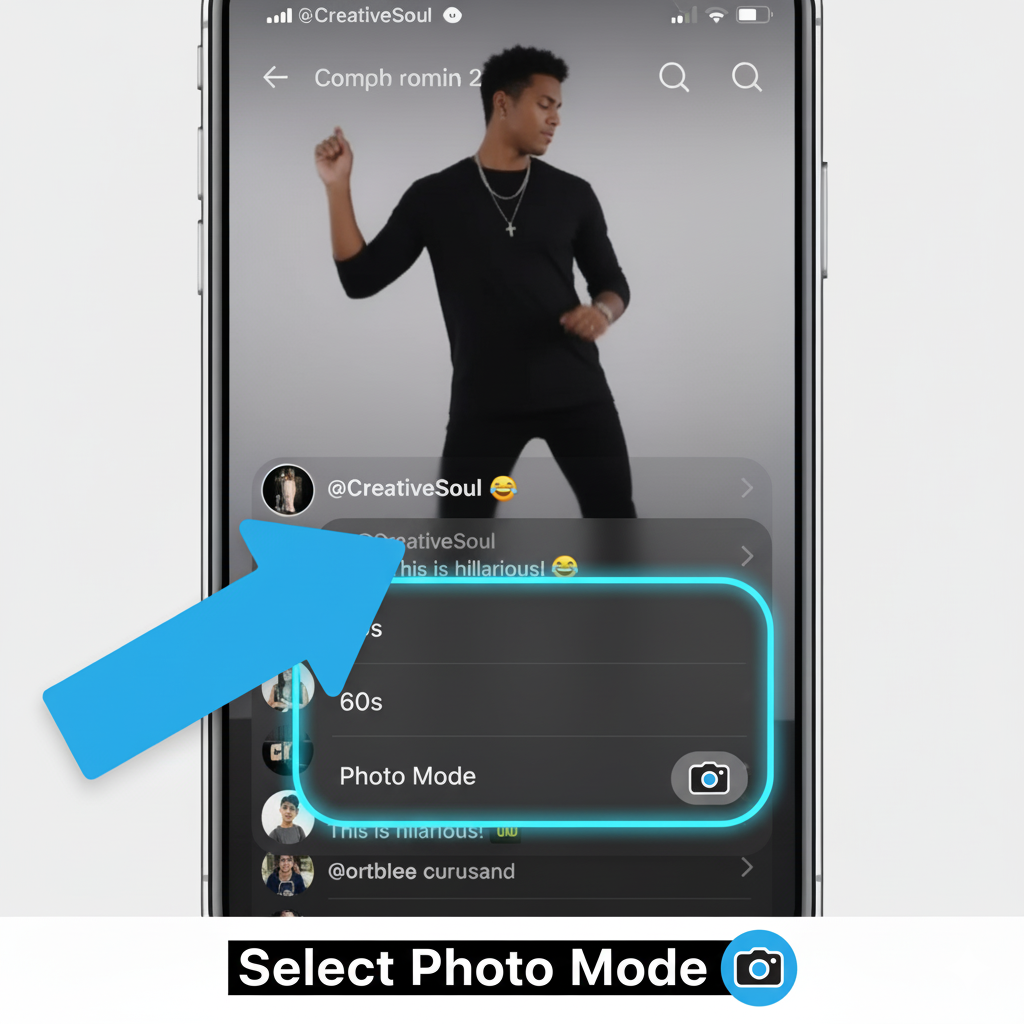
Choose “Photo” from the available options. This appears alongside video duration settings like 60-second or 15-second clips.
The photo selection opens your device’s gallery. This works the same way as creating a regular TikTok post.
Choose Your Image
Tap “Photos” to access your camera roll. Browse your gallery and select the image you want to share.
The editing screen loads after you make your selection. TikTok automatically adds audio to your photo, but you can remove it by tapping the X beside the track name.
Edit and Add Effects
Use TikTok’s standard editing tools to enhance your image. Add filters, text overlays, or stickers as needed.
Similar to creating TikTok content, you have access to all editing features. Make your adjustments before posting.
Post Your Photo Reply
Tap “Next” after finishing your edits. Add a caption or tags if you want.
Select “Post” to finalize your photo reply. The image appears beneath the original comment you responded to.
Your photo also becomes a post on your profile feed. Multiple photo comments can fill your content feed quickly, so consider your posting strategy.
The photo reply method works for everyone regardless of region. You don’t need special access or beta testing programs.
This approach differs from direct picture commenting, which remains unavailable to most users. VPNs and location changes don’t unlock the restricted feature.
Beta testing programs might provide early access if TikTok expands picture commenting globally. Android users can join through Google Play’s testing page, while iOS users need TestFlight.
FAQs
Can I comment with pictures on TikTok directly?
Direct picture commenting only works in specific regions like Egypt. Most users worldwide don’t have this feature and must use the photo reply method instead.
Why don’t I see a camera icon in comments?
The camera icon only appears when replying to existing comments, not for direct comments on videos. Regional restrictions also affect availability of direct picture commenting.
Do photo replies appear on my profile?
Yes, photo replies become regular posts on your profile feed. Each image you share as a comment also displays alongside your other TikTok content.
Can I use a VPN to unlock picture commenting?
No, VPNs don’t enable direct picture commenting. Testing confirms that changing your location settings or using virtual private networks doesn’t provide access to restricted features.
Will TikTok expand picture commenting globally?
TikTok hasn’t announced expansion plans for direct picture commenting. The feature existed briefly during 2023 beta testing but was removed. Monitor TikTok updates for future availability.